Chapter 13: Trust, Safety, and Responsibility
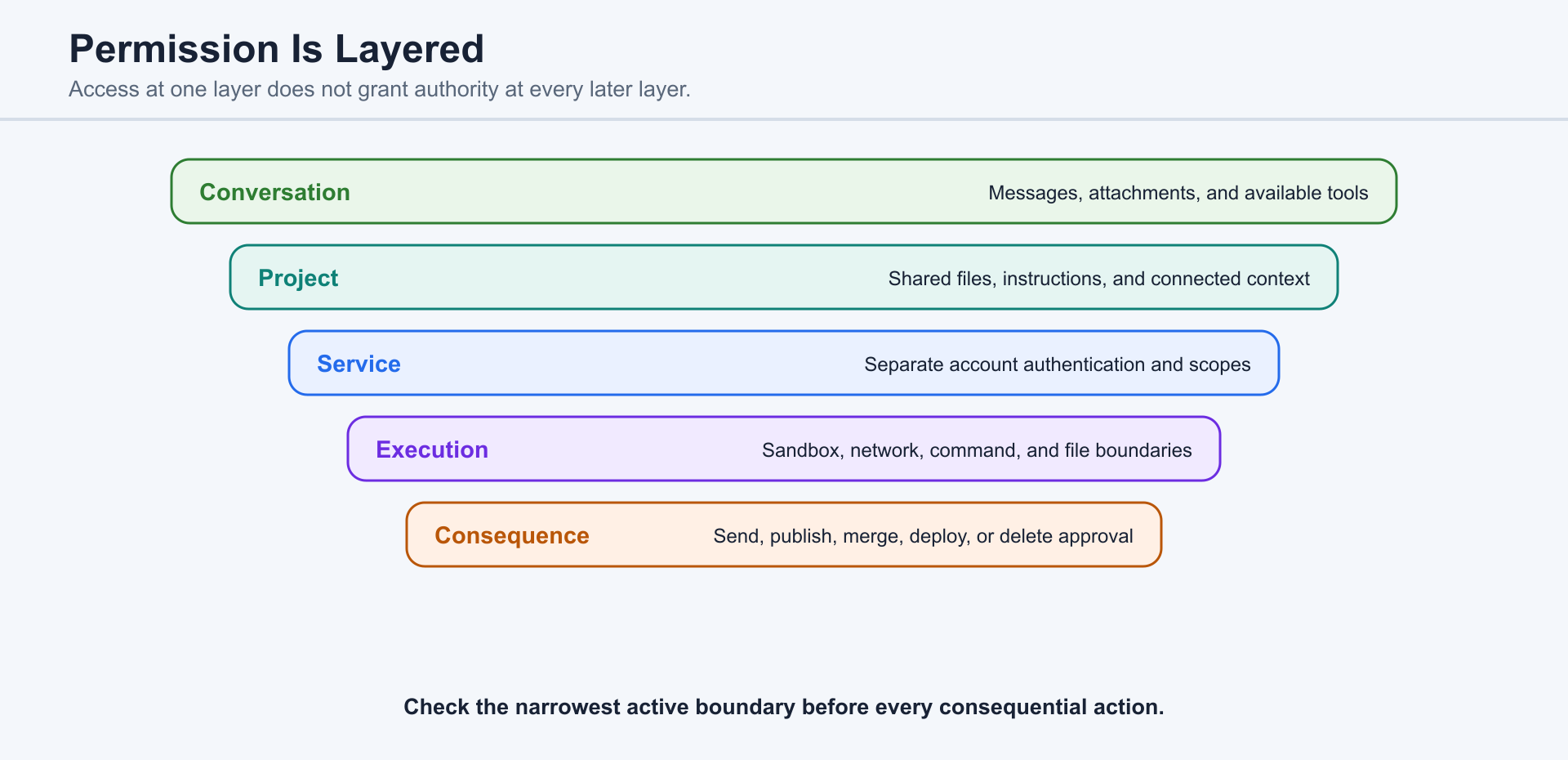
Trust depends on matching authority to consequence. ChatGPT, Codex, Projects, Plugins, Sites, Scheduled, and Pull requests do not share one universal permission model. Users should understand what each surface can access, what it can change, and what evidence is required before accepting the result.
13.1 Chat Permissions
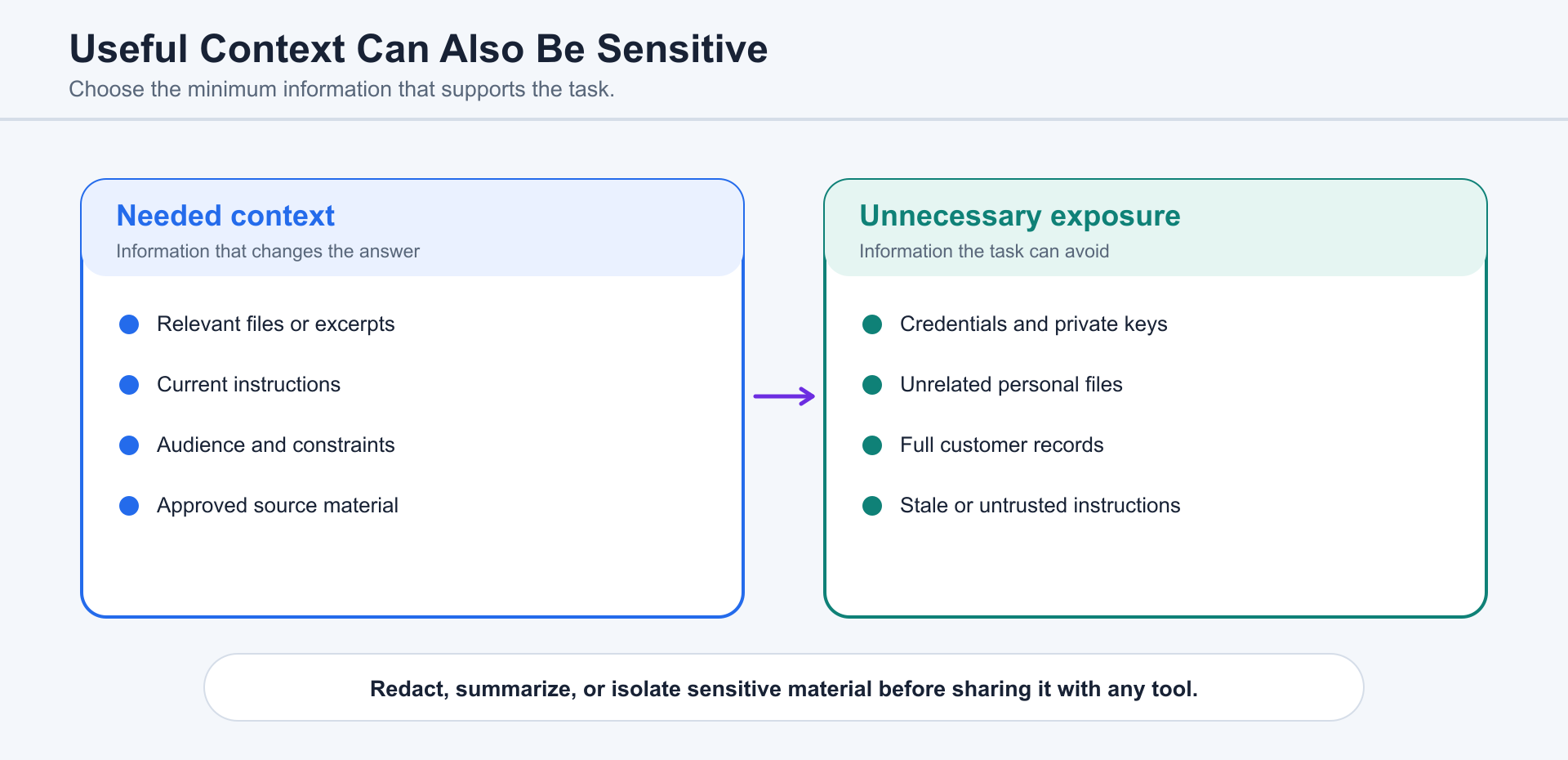
Section titled “13.1 Chat Permissions”An ordinary chat can use the messages, attachments, and tools available to that chat. Do not upload sensitive information merely because analysis is convenient. Remove unnecessary personal, financial, health, legal, credential, and customer data before sharing it.
13.2 Project Context
Section titled “13.2 Project Context”A ChatGPT Project can share files, instructions, and connected sources across related chats. A local project can connect to folders on a computer. Project membership organizes context; it does not replace service authentication, sandbox rules, approvals, or organization policy.
13.3 Plugin Permissions
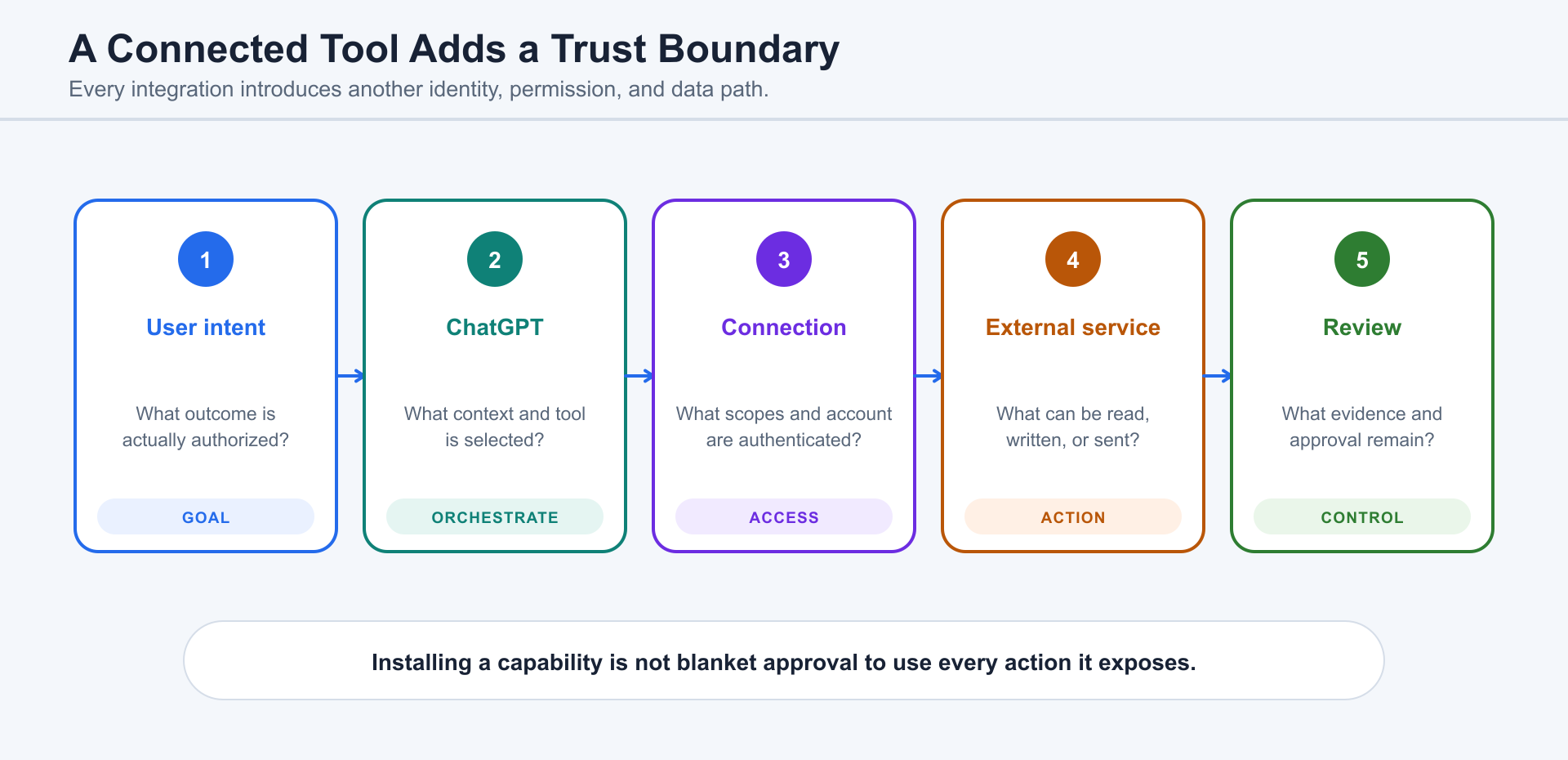
Section titled “13.3 Plugin Permissions”Use Chapter 3 for the Plugin vocabulary. Before enabling a Plugin, inspect what it can read, write, send, or execute. Connected services may require separate authentication and apply their own access controls, terms, retention rules, and privacy policies.
13.4 Codex Sandbox and Approvals
Section titled “13.4 Codex Sandbox and Approvals”Codex can read files, make edits, run commands, and use network resources only within the active sandbox and approval configuration. Start with the narrowest workable access. Keep credentials, production systems, and unrelated personal files outside the workspace unless the task genuinely requires them.
13.5 Scheduled-Task Risk
Section titled “13.5 Scheduled-Task Risk”Scheduled tasks run unattended. A repeated mistake can affect many files, systems, or reports before anyone notices. Test the prompt first, use narrow permissions, isolate code changes in worktrees when appropriate, monitor early runs, and define stop conditions and notifications.
13.6 Sites Publishing Risk
Section titled “13.6 Sites Publishing Risk”Treat a Sites deployment URL as production. Review content, authentication, authorization, data persistence, uploaded files, privacy disclosures, links, forms, analytics, and sharing before deployment. Save a version without deploying when a stakeholder must review it first.
13.7 Pull-Request and GitHub Risk
Section titled “13.7 Pull-Request and GitHub Risk”Repository content, issue bodies, commit messages, and review comments can contain mistakes or malicious instructions. Keep credentials scoped, treat untrusted contributions cautiously, and separate reviewing, pushing, opening, approving, merging, and deploying.
13.8 Human Confirmation
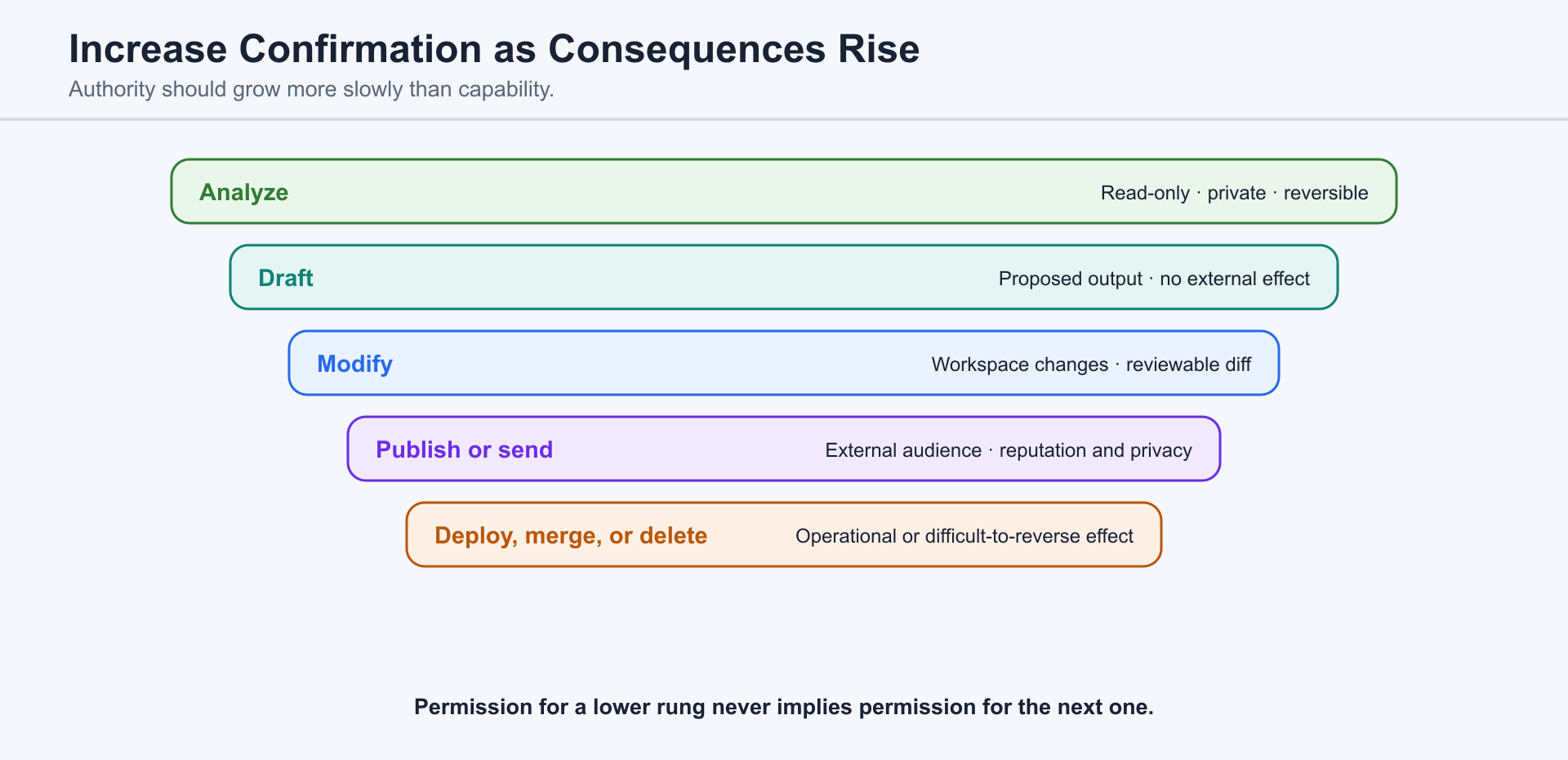
Section titled “13.8 Human Confirmation”Analyze, draft, modify, push, publish, send, deploy, merge, and delete are different levels of consequence. Permission for a low-impact step should not be interpreted as permission for every later step. Require stronger review as reversibility decreases and external impact increases.
13.9 Evidence and Verification
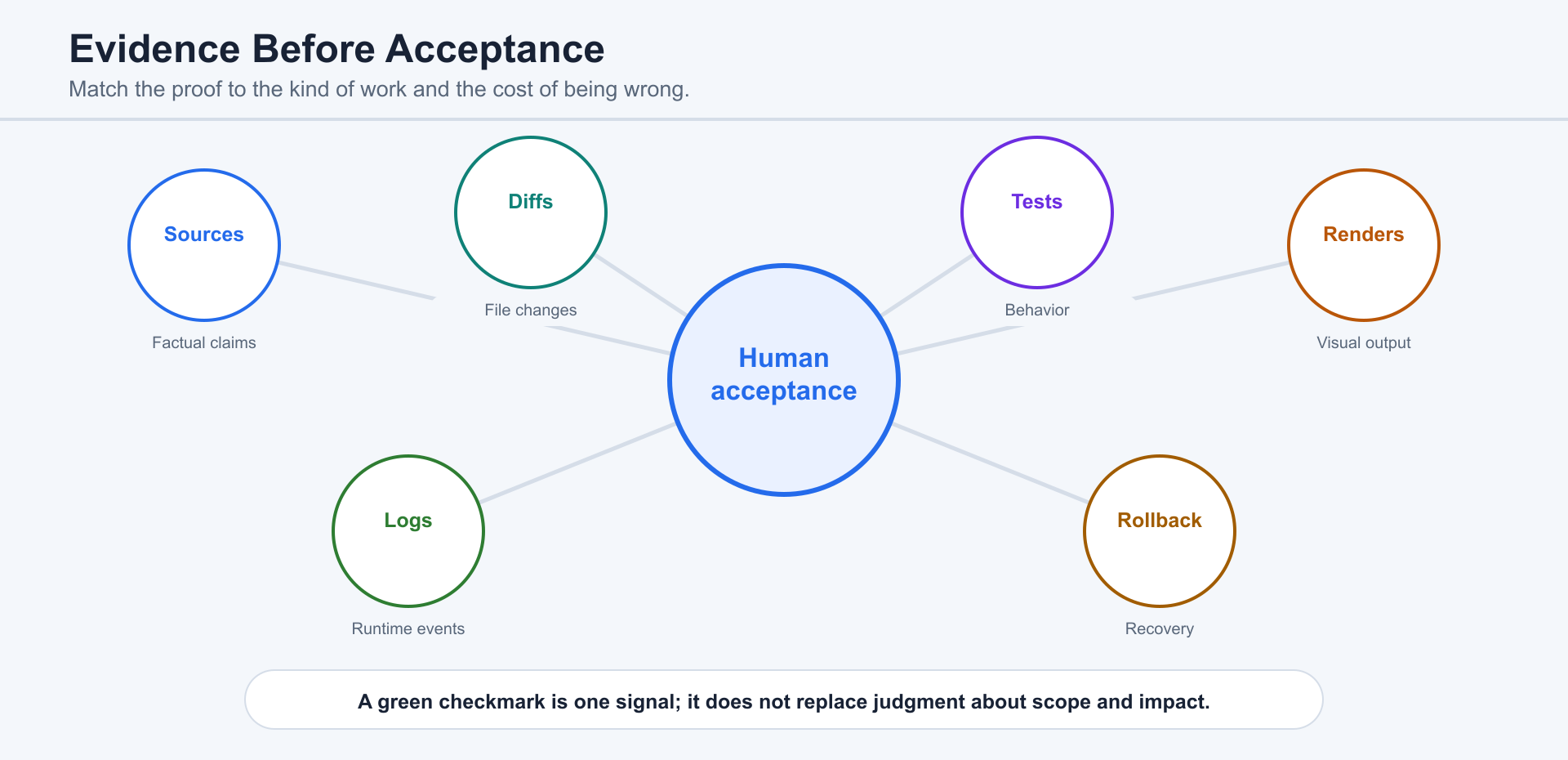
Section titled “13.9 Evidence and Verification”Ask what was inspected, changed, run, cited, or left unverified. A polished answer, green checkmark, generated screenshot, or passing test is one form of evidence, not proof that every fact, user flow, permission, or production condition is correct.
13.10 Responsibility
Section titled “13.10 Responsibility”Humans remain responsible for important factual claims, customer promises, legal and financial decisions, security, data handling, publishing, merging, and deployment. The purpose of the system is to improve judgment and execution—not to make accountability disappear.
Review Checklist
Section titled “Review Checklist”Check data sensitivity, source quality, permissions, sandbox, external authentication, scheduled execution, production publishing, repository trust, irreversible actions, human approval, evidence, rollback, and ownership.
13.11 Team Governance and Secure Tool Use
Section titled “13.11 Team Governance and Secure Tool Use”Teams need more than individual prompting habits. They need shared governance: approved use cases, ownership, review expectations, escalation paths, and a clear statement of where human judgment remains mandatory.
- Governance and acceptable-use policy: define permitted work, prohibited work, required approvals, and accountable owners.
- Threat modeling: identify valuable assets, likely attackers, exposed tools, trust boundaries, and the failure modes that matter most.
- Plugin and MCP risk: treat connected services as additional permission and data boundaries; verify what each integration can read, write, or send.
- Prompt injection: treat instructions found in files, websites, tool output, and retrieved content as untrusted until they are checked against the user’s real goal.
13.12 Permissions, Sandboxes, and Cross-Cutting Checks
Section titled “13.12 Permissions, Sandboxes, and Cross-Cutting Checks”Permissions and sandboxing control what an Agent may do; they do not prove that the result is correct. Every workflow should revisit four cross-cutting checks before acceptance.
- Permissions and sandboxing: grant the narrowest access that can complete the task, and require confirmation for sensitive or external actions.
- Context and files: confirm that the Agent received the intended sources, not stale, unrelated, or sensitive material.
- Verification: review evidence appropriate to the task, including diffs, tests, rendered artifacts, or cited sources.
- Troubleshooting: preserve the goal, exact failure, actions already attempted, current state, and the safest recovery path.