Chapter 7: Building Websites, Apps, and Digital Tools With ChatGPT
Rapid site creation and maintainable software are different goals.
A quick prototype may not need a repository. A maintained product usually benefits from source control, ownership, version history, deployment configuration, and a clear update process.
AI assistance is most useful in early product work when it turns a vague intention into a clearer problem, audience, workflow, and decision. It does not remove the human product role. Humans still decide which problem matters, who the user is, what tradeoffs are acceptable, and what should be launched. Use the working-mode distinction in Chapter 1 when the project moves from planning into software implementation.
7.1 From Idea to Buildable Product
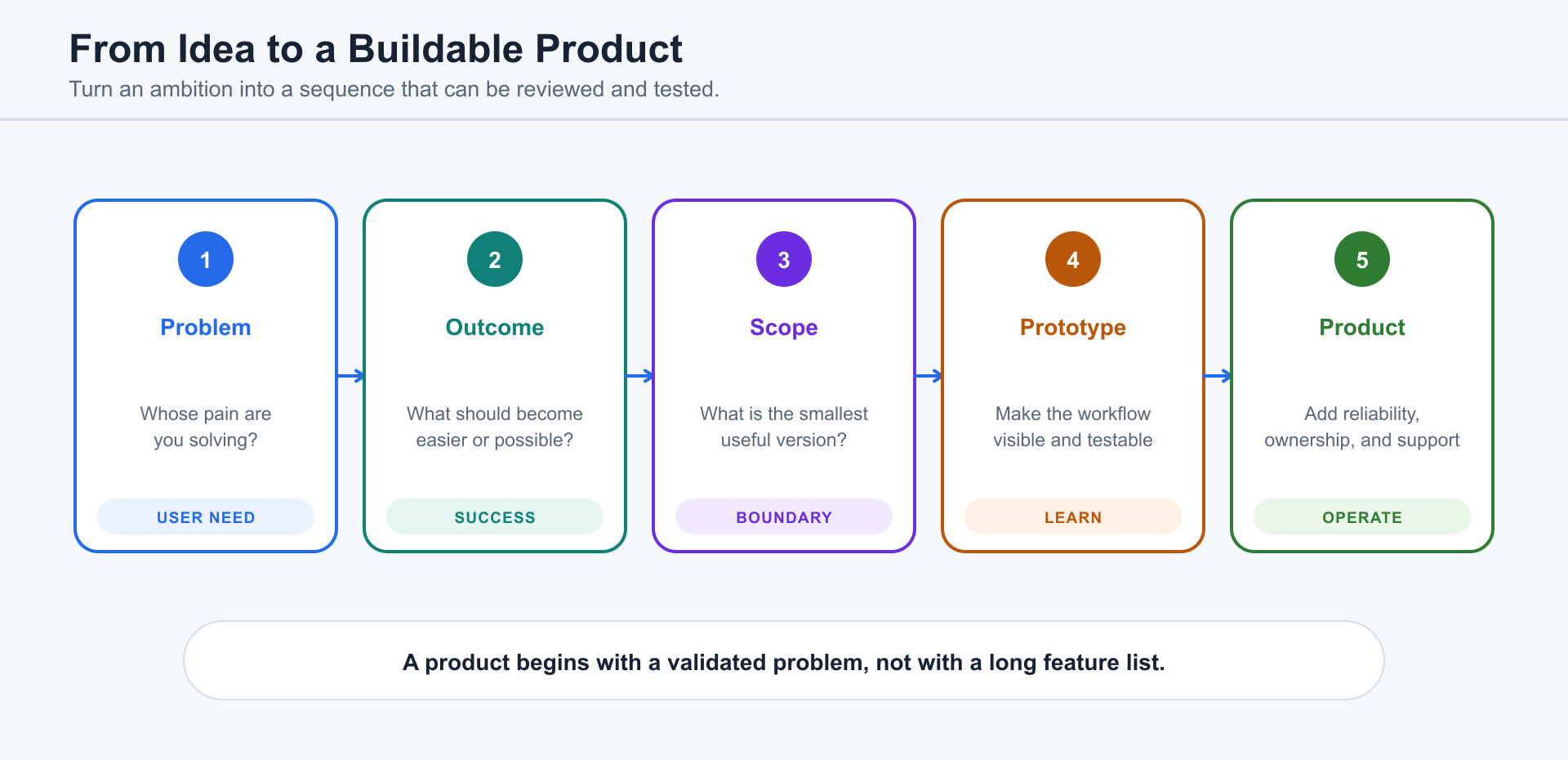
Section titled “7.1 From Idea to Buildable Product”A raw idea is usually not yet a product. “I want a website for my business,” “I want an app for my students,” or “I want to automate this workflow” must be translated into users, tasks, inputs, outputs, constraints, and proof of success. ChatGPT can help by asking product questions before it starts building: Who will use this? What are they trying to accomplish? What do they do today? What information do they need to provide? What does success look like? What must happen if something fails?
When the human already knows exactly what to build, ChatGPT should act like an execution partner. Give it the goal, audience, technical stack, pages, data model, constraints, and acceptance checks. When the human only has a direction, ChatGPT should act like a peer product collaborator and propose options. When the human is unsure what the product should be, ChatGPT should use reverse prompting: ask questions, summarize the answers, expose assumptions, and turn imperfect human language into a clear product brief.
7.2 Website, App, or Automation: Choosing the Right Form
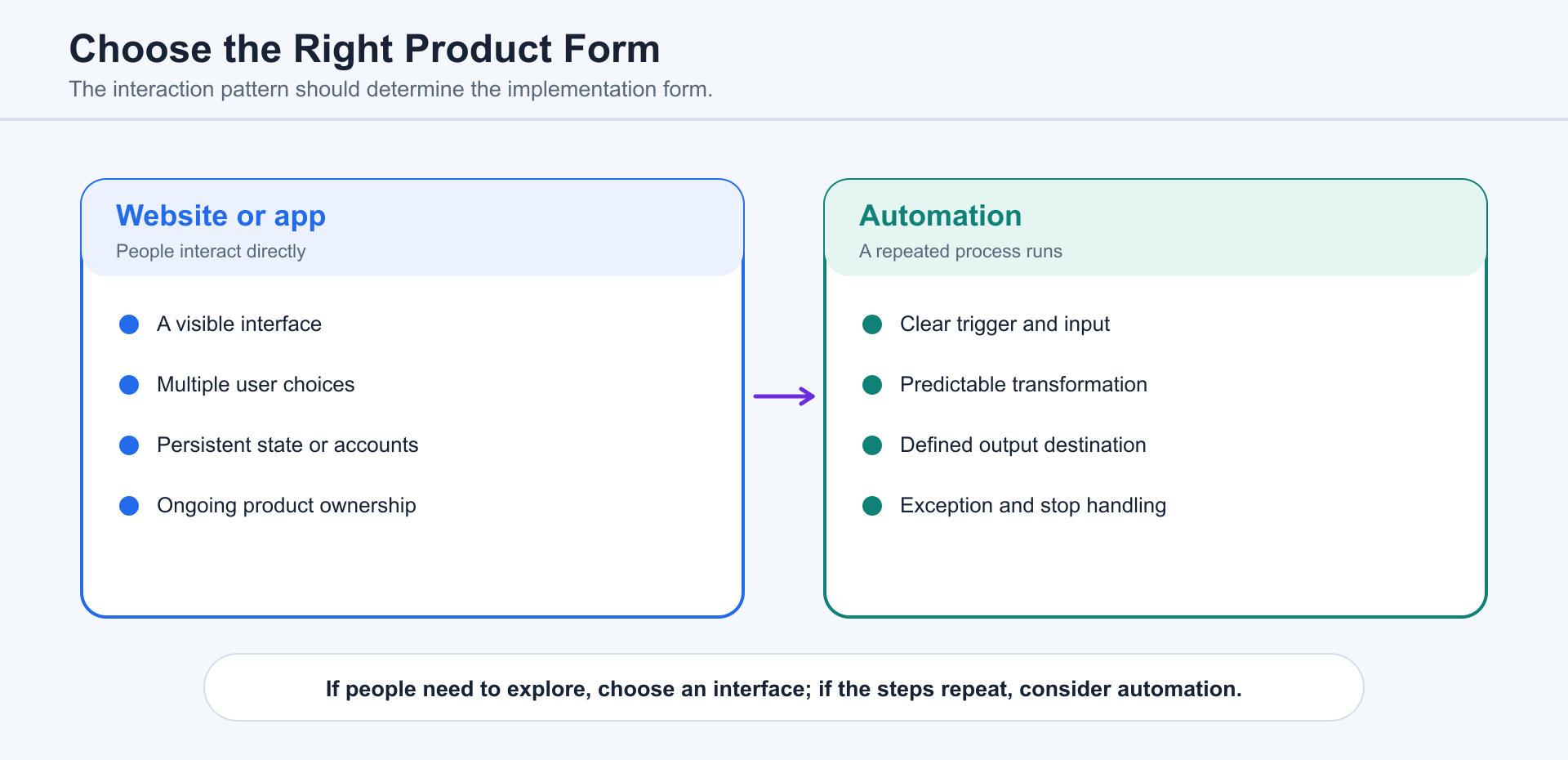
Section titled “7.2 Website, App, or Automation: Choosing the Right Form”Many ideas do not need a custom app. A brochure site may need WordPress, Webflow, Wix, Squarespace, or a static site. A lead-capture workflow may need a form, a spreadsheet, a CRM, and an email sequence. A repeated internal process may need an Airtable base, a Google Sheet, a small Python script, or a Slack workflow. A true app is justified when users need repeated interaction, accounts, permissions, saved state, complex data, or a custom experience that existing tools cannot provide.
ChatGPT can compare forms by speed, cost, maintenance, user experience, integration needs, data risk, and team skill. A simple decision rule helps: use a website when the main job is explanation and conversion; use an app when the main job is repeated use and stateful interaction; use automation when the main job is reducing repetitive work; use an internal tool when the main job is operational visibility and control.
7.3 Working Like a Product Manager With ChatGPT
Section titled “7.3 Working Like a Product Manager With ChatGPT”The strongest product workflow begins with a problem, not a technology stack. A human product manager defines the user, problem, business reason, scope, and decision criteria. ChatGPT can then help generate a product requirements document, user stories, edge cases, priorities, open questions, release phases, risk notes, and test scenarios.
A useful product prompt is: “Act as my product partner. Before proposing screens or code, ask the questions needed to understand the user, workflow, business goal, data, constraints, and launch risk. Then turn my answers into an MVP scope, a later roadmap, and acceptance criteria.” This is especially important when the human’s first description is imprecise. ChatGPT should not punish unclear expression; it should help make the expression clearer.
7.4 Turning Requirements Into Specs, Screens, and Tasks
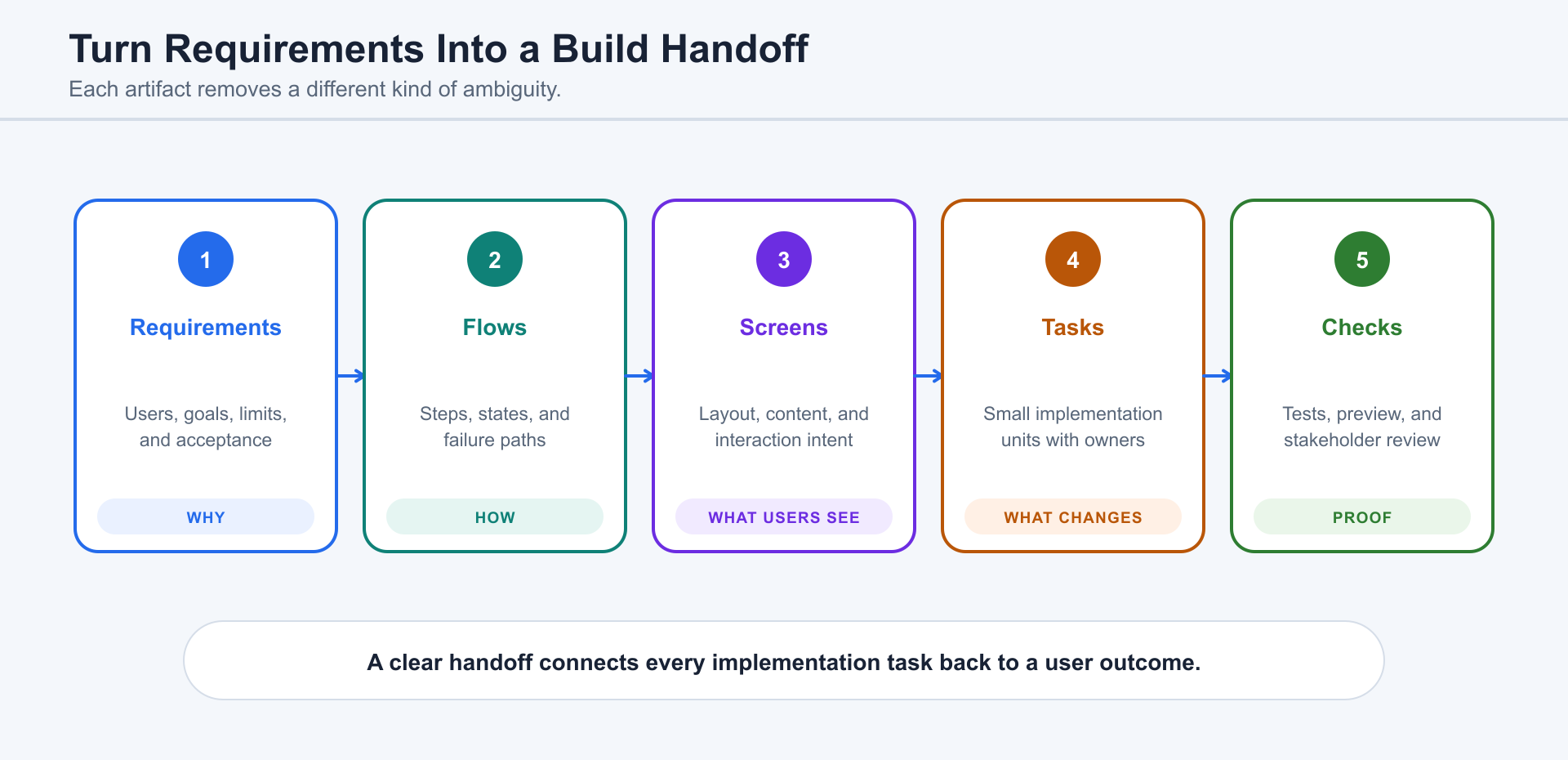
Section titled “7.4 Turning Requirements Into Specs, Screens, and Tasks”Requirements become buildable when they are translated into three layers: a spec, a screen map, and a task plan. The spec explains what the system does and does not do. The screen map explains how the user moves through the experience. The task plan explains what a builder should implement, verify, and review.
ChatGPT can turn a short idea into a product brief, user flows, requirements, states, validation rules, risks, and test cases. Figma can hold design intent, GitHub or Linear can hold tasks, and Vercel can provide preview deployments. When the work enters a real codebase, Codex can keep design, implementation, tests, and delivery artifacts aligned.
7.5 Building With Sites
Section titled “7.5 Building With Sites”For projects using Sites, begin with the definition and publishing model in Chapter 3. Describe the audience, purpose, required behavior, information sources, authentication, durable data, and uploaded-file needs before building.
The workflow is describe, review, refine, save a version, and deploy. Saving creates a reviewable deployment candidate; deploying publishes the selected version to its audience. Review analytics, sharing, sign-in, storage, and data behavior as part of the product—not as afterthoughts.
7.6 Beginner Path: CMSs, Builders, Forms, and Automation Tools
Section titled “7.6 Beginner Path: CMSs, Builders, Forms, and Automation Tools”Beginners should not assume that “real” building always means writing code. WordPress, Shopify, Wix, Webflow, Squarespace, Tally, Typeform, Airtable, Notion, Google Forms, Calendly, Zapier, Make, and similar ecosystems can solve practical problems quickly. ChatGPT can help choose the tool, design the information structure, write copy, plan forms, compare options, and create operating instructions.
Choose a CMS when editorial workflow, commerce, or an established plugin ecosystem matters more than custom application logic. Choose Sites when ChatGPT-managed hosting and a unified creation flow are a better fit.
7.7 Developer Path: Figma, Codex, GitHub, and Deployment
Section titled “7.7 Developer Path: Figma, Codex, GitHub, and Deployment”A practical developer path may combine Figma, Codex, GitHub, and either Sites or an external deployment platform such as Vercel. Figma defines design intent, the local codebase provides maintainable implementation, GitHub provides history and review, and the deployment surface publishes the result.
Sites is useful when the project is compatible with ChatGPT-managed hosting and the team wants a unified creation and deployment workflow. An external platform may be preferable when the project requires specific infrastructure, organization-wide deployment policy, advanced preview environments, or services outside the Sites model.
Codex should inspect before editing: read the design and repository, identify reusable components, map tokens to code, propose a small plan, implement a slice, run checks, compare the result with the design, and summarize what remains unverified.
7.8 Reviewing Prototypes With Real Users
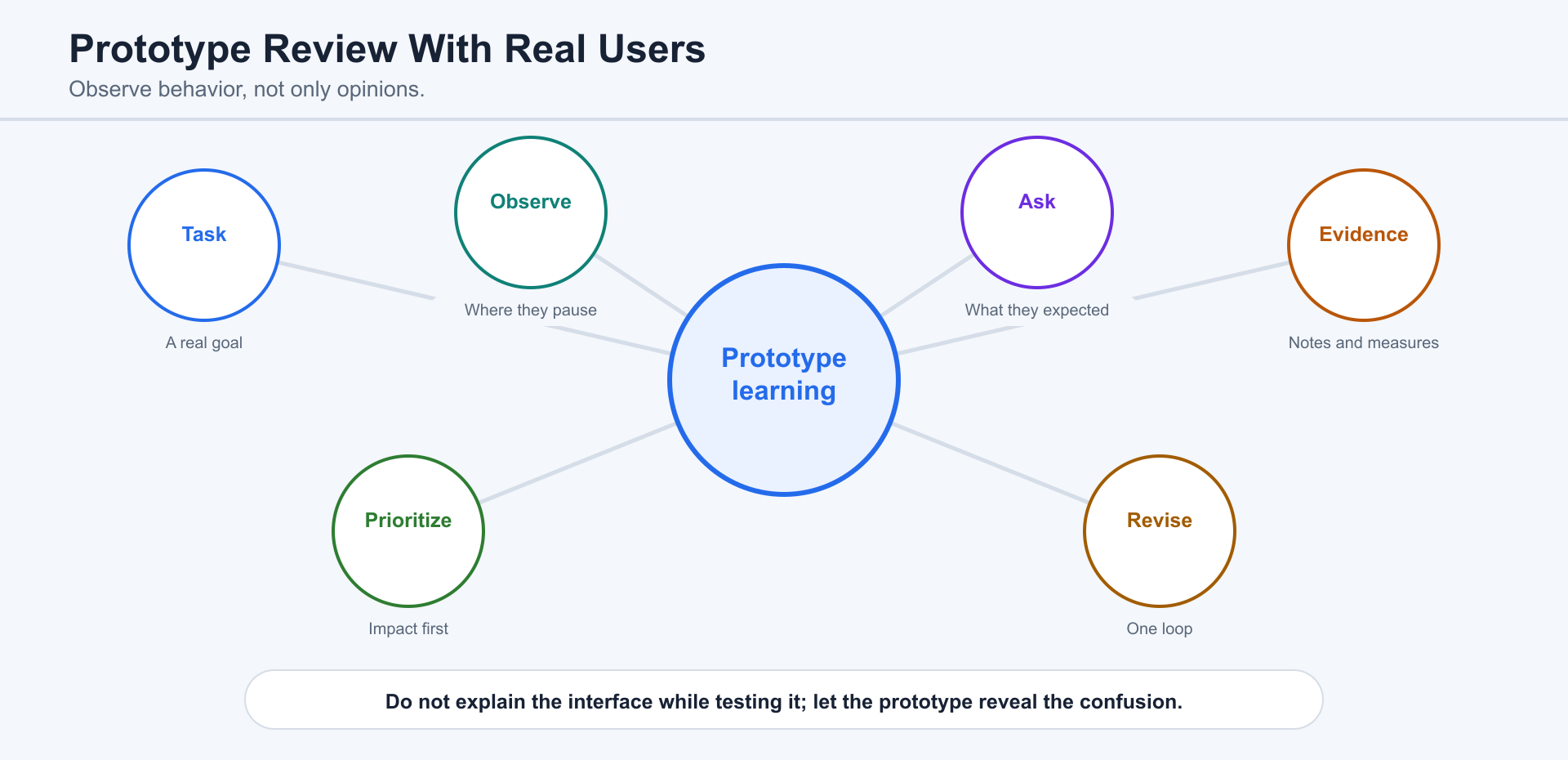
Section titled “7.8 Reviewing Prototypes With Real Users”A prototype is a question, not proof. Give real users a task, observe where they hesitate, ask what they expected, and record behavior before interpretation. ChatGPT can prepare the test plan and summarize feedback, while humans judge whether the sample and conclusions are credible.
7.9 Testing, Feedback, and Iteration
Section titled “7.9 Testing, Feedback, and Iteration”Testing should cover behavior, experience, and risk. For Sites and websites, check links, forms, mobile layout, accessibility, authentication, data persistence, sharing, analytics, and browser behavior. For local apps, also check API contracts, database behavior, logs, deployment settings, and recovery.
Plugins and specialized external tools can extend a product workflow. Use Chapter 3’s definitions and choose an integration only when it serves a concrete build or review requirement.
7.10 Moving From Prototype to Production
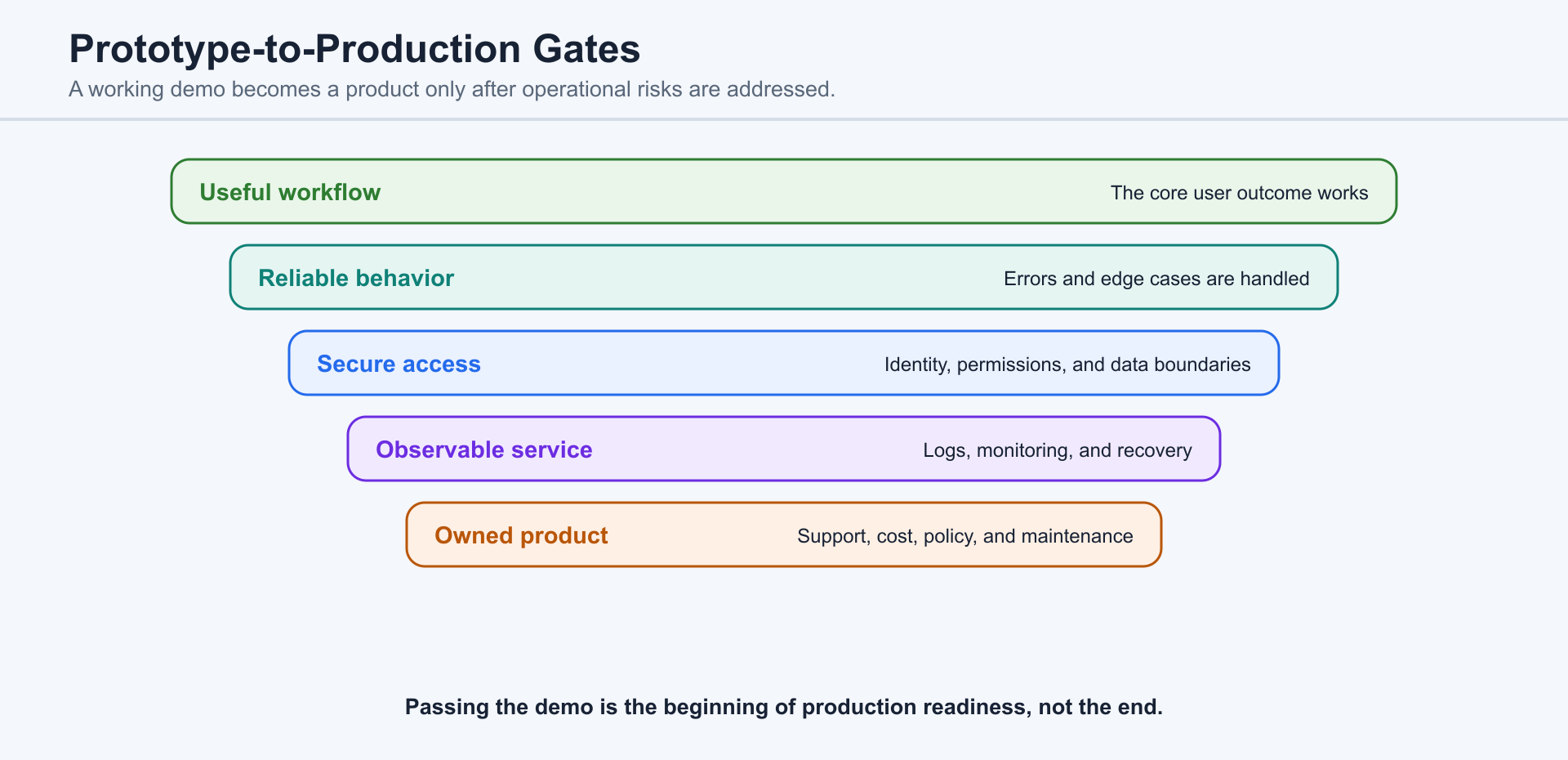
Section titled “7.10 Moving From Prototype to Production”A prototype becomes a production system when responsibility increases. Confirm ownership, permissions, monitoring, backups, support, documentation, privacy, cost, deployment, rollback, and maintenance. A Sites URL is a production deployment; a successful local preview is not.
Collaboration Pattern
Section titled “Collaboration Pattern”Move from problem clarification to durable context, implementation, review, deployment, and follow-up. Use the product definitions in Chapter 3 rather than redefining each capability here. Humans define the user, trust standard, launch decision, and risk boundary.
Review Checklist
Section titled “Review Checklist”Check user need, content accuracy, accessibility, authentication, permissions, data persistence, privacy, analytics, mobile behavior, failure states, production URL, deployment owner, support plan, and rollback path.
7.11 Files, Generated Artifacts, and Acceptance
Section titled “7.11 Files, Generated Artifacts, and Acceptance”A finished deliverable is not just text in a chat. The file type determines how the work should be created, inspected, and accepted.
- Text and code files: inspect exact contents, filenames, structure, syntax, and the resulting diff.
- Images and screenshots: check legibility, crop, aspect ratio, visual consistency, and whether the image proves the intended state.
- PDFs and documents: inspect both extracted content and rendered layout, including pagination, headings, tables, and links.
- Tables and spreadsheets: verify formulas, ranges, headers, units, formatting, and representative calculations.
- Presentations: review narrative order, slide density, visual hierarchy, speaker needs, and source attribution.
Artifact acceptance should combine content checks with format-specific inspection. Ask what was created, where it was saved, what evidence supports it, what remains unverified, and how another person can reproduce the check.